Personal projectLive
Verbe
Speak, it’s written: Ctrl + Shift + L in any app, and the text lands right where you were typing.
- Role
- Design and development
- Period
- November 2026
- Stack
- Electron, JavaScript, Web Audio API, Canvas, IndexedDB, Whisper (Groq)

- versions: Windows and browser
- 2
- French voice commands
- 12
- automated tests on every push, on Linux and Windows
- 90
- servers in between: your key stays on the device
- 0
01The problem
Typing takes longer than speaking: an email, meeting notes, a question for an AI assistant. I wanted to dictate in any app, in Québec French, and find the punctuated text right where I was typing, with no copy and paste.
02What I built
- Ctrl + Shift + L in any app: a bubble at the bottom of the screen listens, transcribes, then pastes the text where the cursor was.
- A browser version that does the same in its page, with a mini window that stays above other tabs.
- Voice commands (“comma”, “new line”, “delete that”, in French) and a “Clean up” button that removes hesitations and repetitions.
- A choice of service (Groq, OpenAI, Mistral or Gemini) with your own key, and how much is left before the service’s limit.
- The last 100 dictations kept on the device, with search, and the audio to transcribe again if needed.
- An automatic stop when you stop talking, which frees the mic for other apps, and silences trimmed before sending.
- “My words” (proper names spelled right), ready-made texts said aloud (“insert my signature”), translation while dictating, and a tone that fits the app (polished in Outlook, relaxed in Teams).
- Paste the last dictation again, and rewrite a selection by voice (“more polite”, “in English”), in any app.
- Automatic updates from GitHub, and progress at the top of the history: words dictated and time saved.
03Screens
Swipe through the screens.
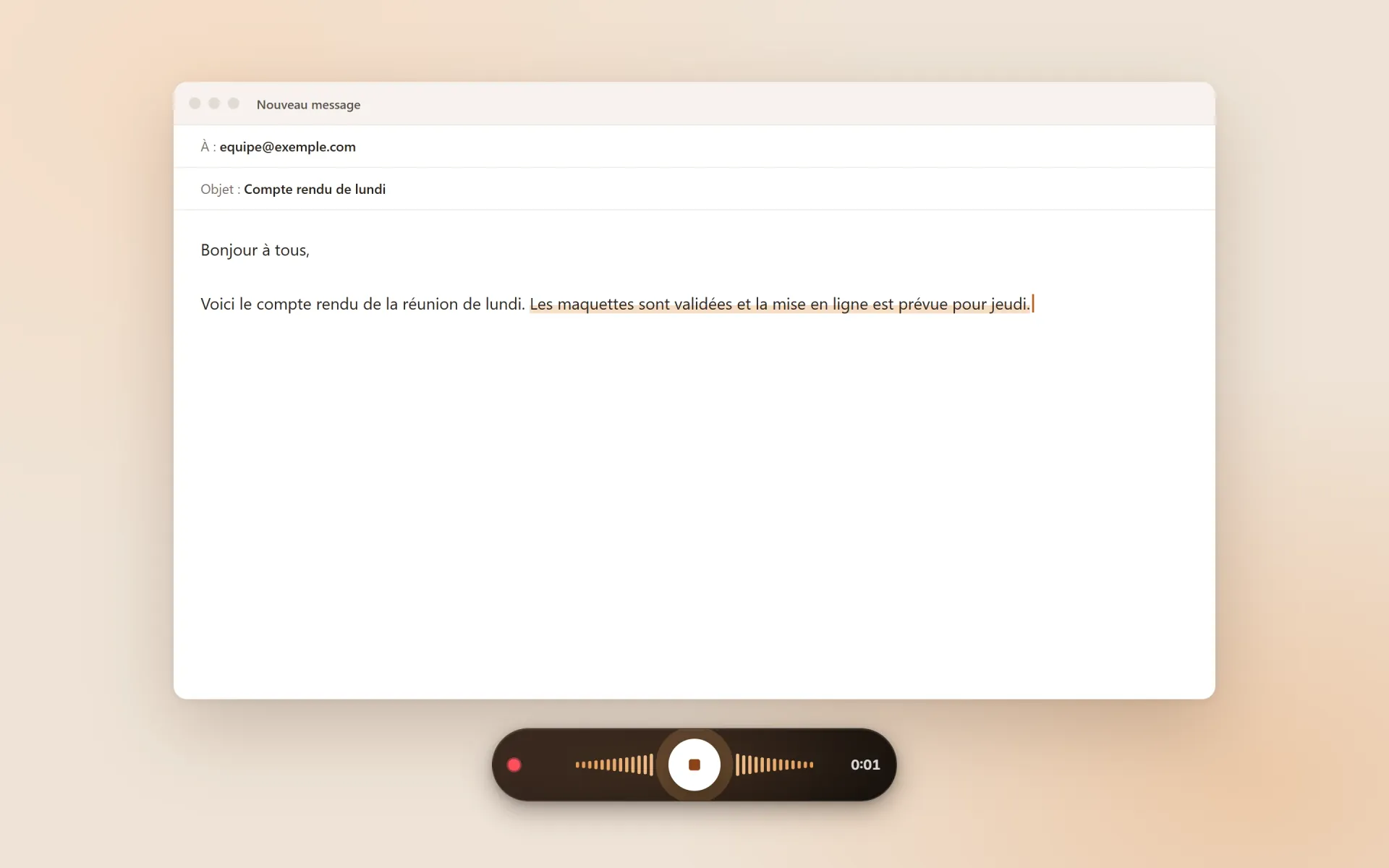
The Windows bubble listening at the bottom of the screen while an email is being written 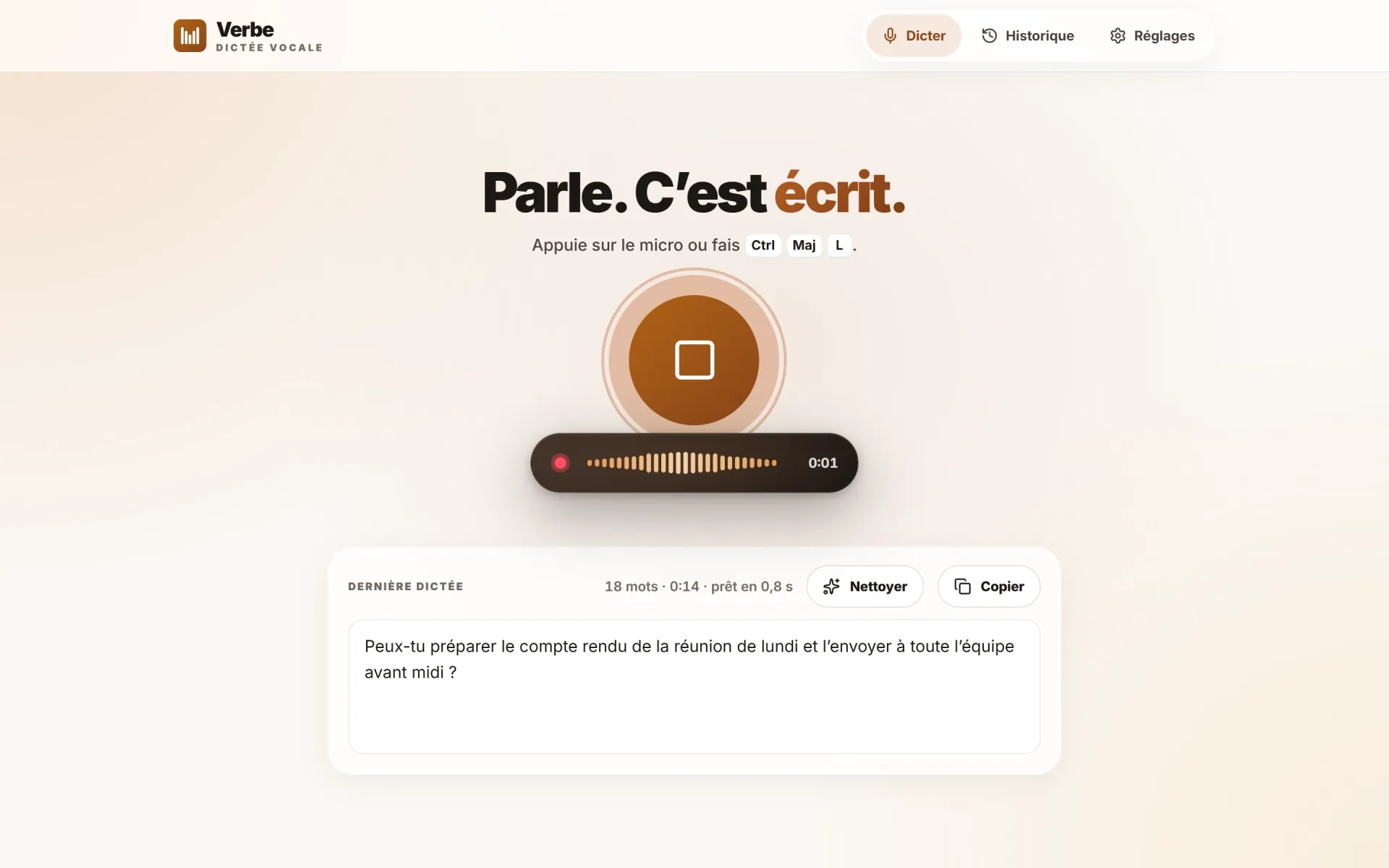
While listening: the voice as bars and the elapsed time 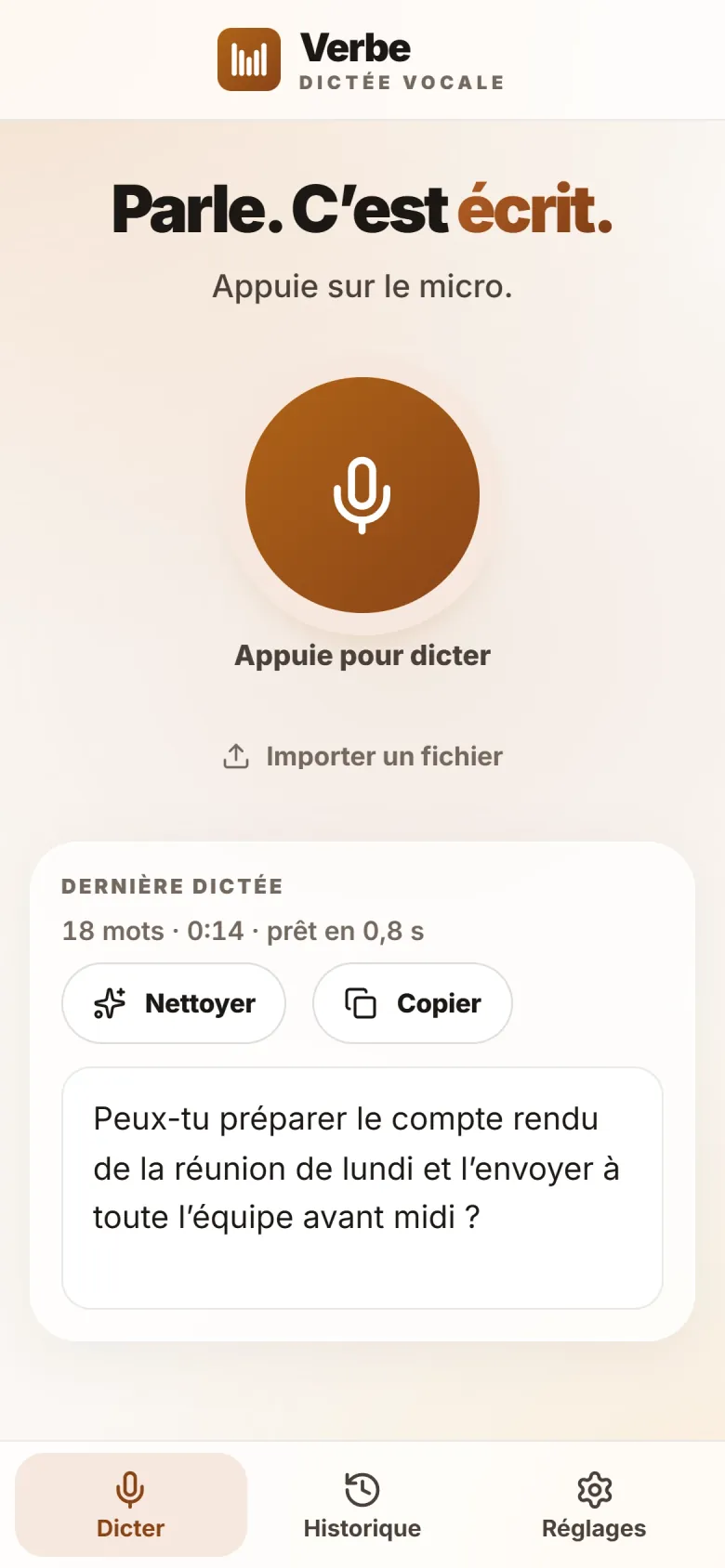
Verbe on a phone 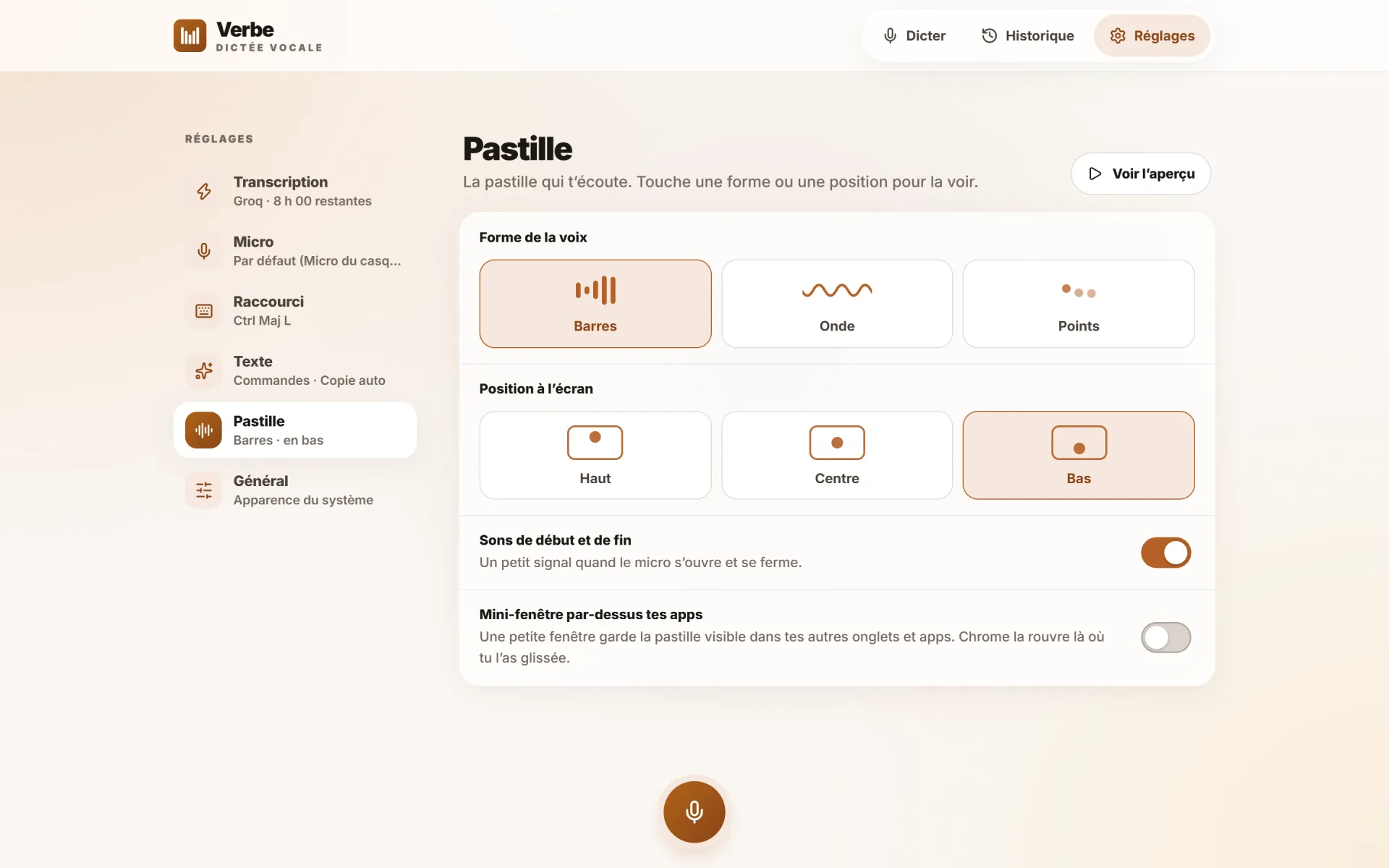
Settings: the voice shape and where the bubble sits 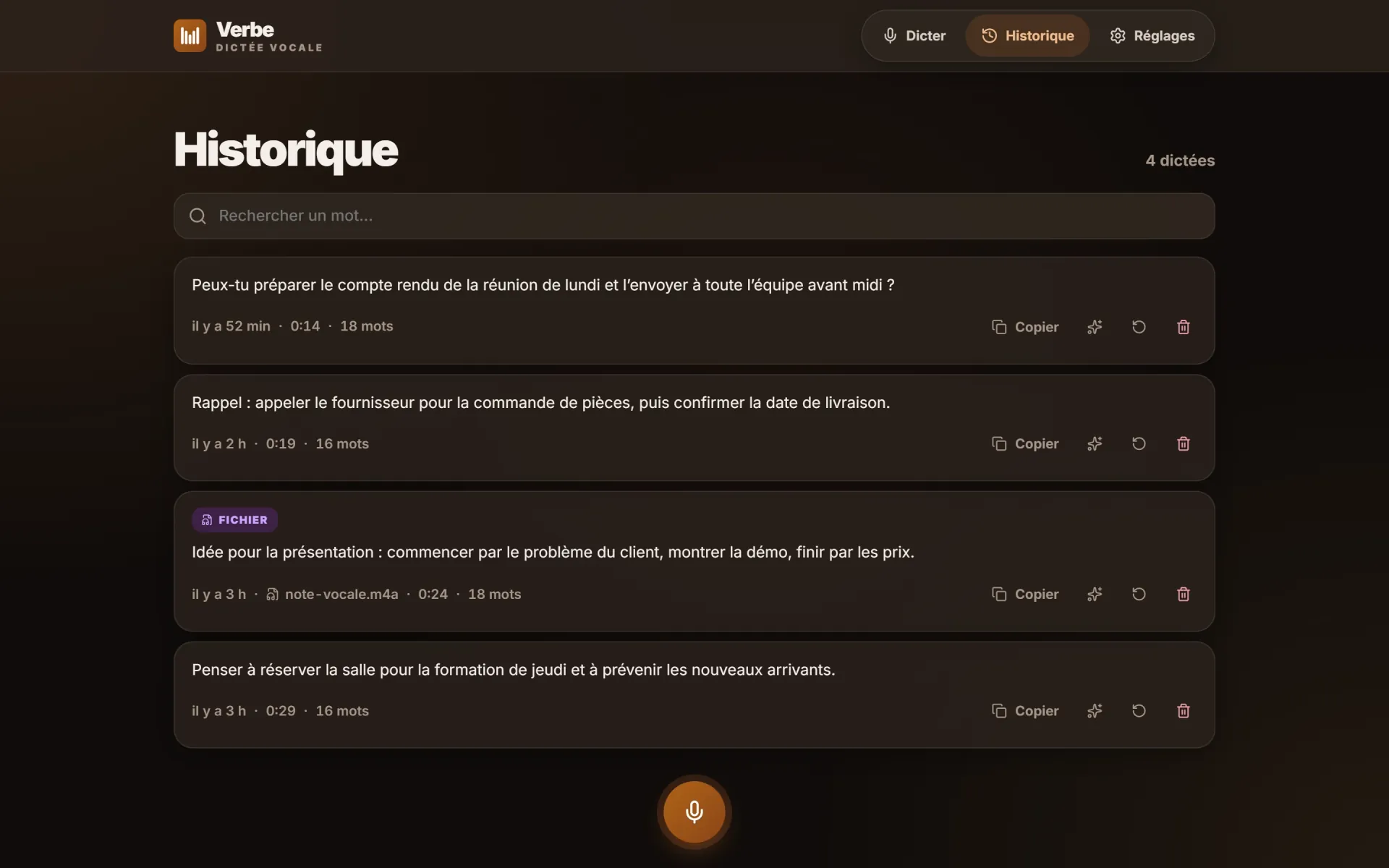
The dictation history, in dark mode


04Architecture
- 01Ctrl + Maj + LGlobal shortcut
- 02MicrophoneMediaRecorder, AudioWorklet
- 03WhisperGroq or another service
- 04PasteClipboard, Ctrl + V
05Decisions
- 1One page for both versions: the Windows app (Electron) only adds the global shortcut, the bubble and automatic pasting.
- 2The bubble never takes focus: the text is pasted into the app you were typing in, without switching windows.
- 3No server in between: settings, key and history stay on the device; only the audio goes to the chosen transcription service.
- 4The audio engine warms up while idle, before the first click: the screen no longer freezes when the mic opens.
- 5New features live in the settings, and those that cost time or take a key are off by default: the Dictate screen stays a single button.
06Challenges solved
- Groq doesn’t let a web page read how much is left before the limit: the Windows app makes those counters readable, and the browser version estimates them from what it has sent.
- A shortcut already taken by a browser extension (Bitwarden uses Ctrl + Shift + L): Verbe notices and starts anyway.
- A global shortcut takes its key combination in every app: the Paste again and Rewrite shortcuts avoid Word, Teams, VS Code and AltGr on Canadian keyboards.
07Where it stands
Live, version 0.5: the browser version opens in one click, the Windows installer downloads from GitHub, then Verbe updates itself. Every push runs 90 automated tests. The installer isn’t signed yet: Windows shows a warning the first time you install it.